Your clipboard, but it understands your code
Terminal-native clipboard vault for developers
Install the official CLI, keep your workflow local-first, and retrieve clipboard context by type instead of by order. Clip Gate auto-classifies everything you copy into developer-meaningful types, then lets you retrieve it by type, not by order.
Free to use. No account required. Official installs via the site, PyPI, and Homebrew.
Your clipboard is a black hole.
You copy dozens of things per session. Only the last one survives.
You don't need clipboard history. You need clipboard intelligence — knowing what each item is, and retrieving it by type instead of by order.
What happens when you copy
Every clipboard item flows through a 5-stage pipeline in under 5ms.
< 5ms end-to-end · runs entirely on your machine
13 types. 60+ patterns. Zero config.
Every clipboard item is automatically classified the instant it's captured.
↓ Click any type to see how Clip Gate detects it ↓
See exactly what changes
Here's the most common case — debugging a crash and handing it to your AI. The pattern repeats for paths, secrets, SHAs, and every other typed item.
Plugs into every AI tool you already use
Built-in MCP server exposes your clipboard vault to any MCP client. Or pipe cg pack output to any CLI AI. No accounts. No API keys. Local-first.
Claude Code
Native MCP. Reads your typed history without a single copy-paste.
MCPCursor
MCP-aware coding. Errors and snippets surface inside the editor.
MCPChatGPT / Codex
Pipe cg pack straight into the CLI or paste into chat.
GitHub Copilot
Hand bundled context to Copilot Chat via paste or terminal.
CLIContinue.dev
MCP server discoverable as a tool source for any model.
MCPWindsurf
Pipe vault entries as context blocks into Cascade.
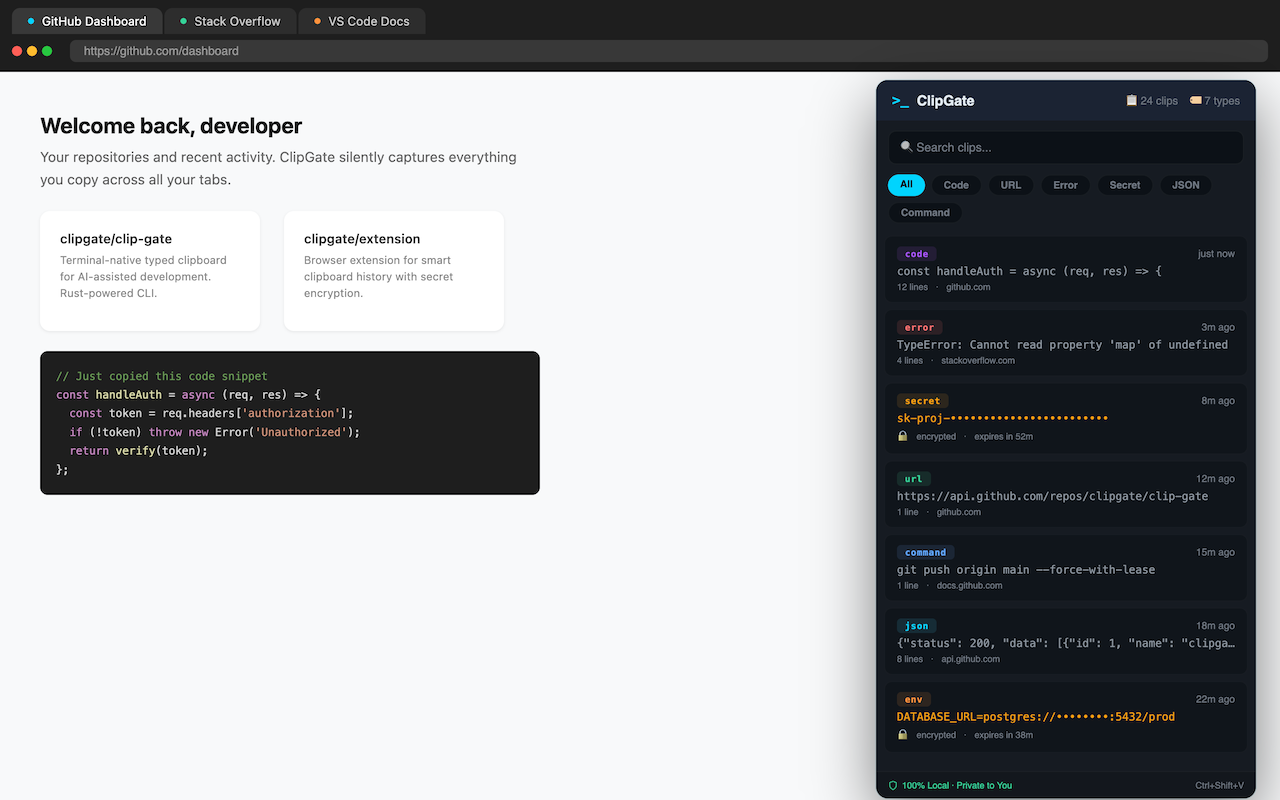
CLIThe same intelligence — now in your browser
Capture errors, code snippets, and JSON from any web page. Pipe them straight to your terminal. Zero context switching, zero re-typing.
Smart copy from any page
One click captures the right thing — the error message, the code block, the JSON payload — already classified by type.
Secret-safe by default
Keys and tokens copied from a page never touch disk. Memory-only vault, auto-expires in 5 minutes.
Pipes straight to your terminal
Browser captures appear instantly in cg list. Use cg paste --type error from any shell — same DB.
Design principles
Local First
Everything runs on your machine. Encrypted local vault. No cloud. No telemetry. No accounts.
Invisible Until Needed
Minimal output by default. One-line confirmation on stderr. Add --quiet for true silence.
Secrets Are Sacred
API keys auto-detected. Memory-only vault. 5-minute TTL. Zero bytes on disk, ever.
AI-Native
Built for AI workflows from day one. Context packing, MCP server, structured output formats.
Install in 30 seconds
curl -fsSL https://clipgate.github.io/install.sh | shmacOS (ARM + Intel) and Linux (x86_64 + ARM64). Auto-detects your platform.
pip install clipgateNo Rust needed. Works on macOS, Linux, and Windows. Follow the package instructions on the docs page.
open https://clipgate.github.io/releases/Grab a prebuilt binary from the release notes page for your platform.
brew install clipgate/tap/cgmacOS and Linux via the official Homebrew tap. Release binaries remain hosted on the site.
open https://clipgate.github.io/support/Need help? Read the docs, check release notes, or contact support from the official site.
Then try your first commands:
Simple now, scalable later
Start with the free binary. Advanced capabilities can arrive later on top of the same official distribution flow.
Free binary
Core clipboard capture, classification, search, packing, and local storage. Download from the official site and use it on your own machine.
Advance
Advanced workflow automation, larger sync-aware surfaces, and deeper integrations planned on top of the same base binary.
Official docs
Read setup, command references, and architecture notes on the public site. No source-code digging required.
Need help?
Use the support page for install help, release questions, and product feedback.
Latest from the blog
Stop losing what you copy.
Install the free binary and turn your clipboard into a developer tool.